Quick answer: AI-written text tends to give itself away through a specific, repeatable set of patterns — heavy use of em dashes, corporate filler words like “leverage,” “seamless,” and “robust,” curly smart quotes, emoji sprinkled for emphasis, leftover markdown symbols, and a suspiciously even sentence length throughout. None of these are hard to fix once you know what you're looking for.
Why this matters
Overly polished, obviously-AI-sounding text reads as generic and impersonal — readers, editors, hiring managers, and increasingly some platforms have gotten good at spotting it, and it can undercut trust even when the underlying content is accurate. This isn't about evading AI detection tools — it's about making writing sound like an actual person wrote it, because clear, natural writing communicates better and builds more trust than mechanically polished text.
The tells that actually give away AI writing
- Em dashes everywhere. AI models default to em dashes (—) far more than typical human writing does, often where a comma or period would read more naturally.
- Filler phrases. Words like “leverage,” “seamless,” “robust,” “delve,” “in today's fast-paced world,” and “it's important to note that” show up constantly in AI output and rarely in how people actually talk or write.
- Curly quotes and smart punctuation. Not inherently wrong, but inconsistent curly vs. straight quotes within the same document is a common AI-generation artifact, especially when text has been copy-pasted between tools.
- Emoji used as emphasis. Especially in professional or long-form writing, scattered emoji (✅, 🚀, 💡) at the start of bullet points is a strong AI tell.
- Leftover markdown. Asterisks for bold (**word**) or stray hash symbols that never got converted to real formatting when text was copied out of a chat interface.
- Invisible or hidden characters. Zero-width spaces and other invisible Unicode characters sometimes get left behind in AI-generated text and can cause subtle formatting bugs when pasted elsewhere.
- Uniform sentence rhythm. Human writing naturally varies sentence length — short, then long, then medium. AI text often settles into a suspiciously consistent rhythm that reads as mechanical over a full page.
How to clean it up manually
- Search-and-replace em dashes with commas or periods where they read more naturally as a full stop.
- Read through once specifically hunting for filler phrases, and cut or replace anything that sounds like it belongs in a press release.
- Normalize quote marks to one style throughout the document.
- Remove decorative emoji unless the tone genuinely calls for them.
- Strip any leftover markdown symbols that didn't render as intended.
- Read a paragraph out loud — if every sentence is roughly the same length, vary it.
This works, but it's slow to do by hand across a long document, and it's easy to miss a few instances.
A quick before-and-after example
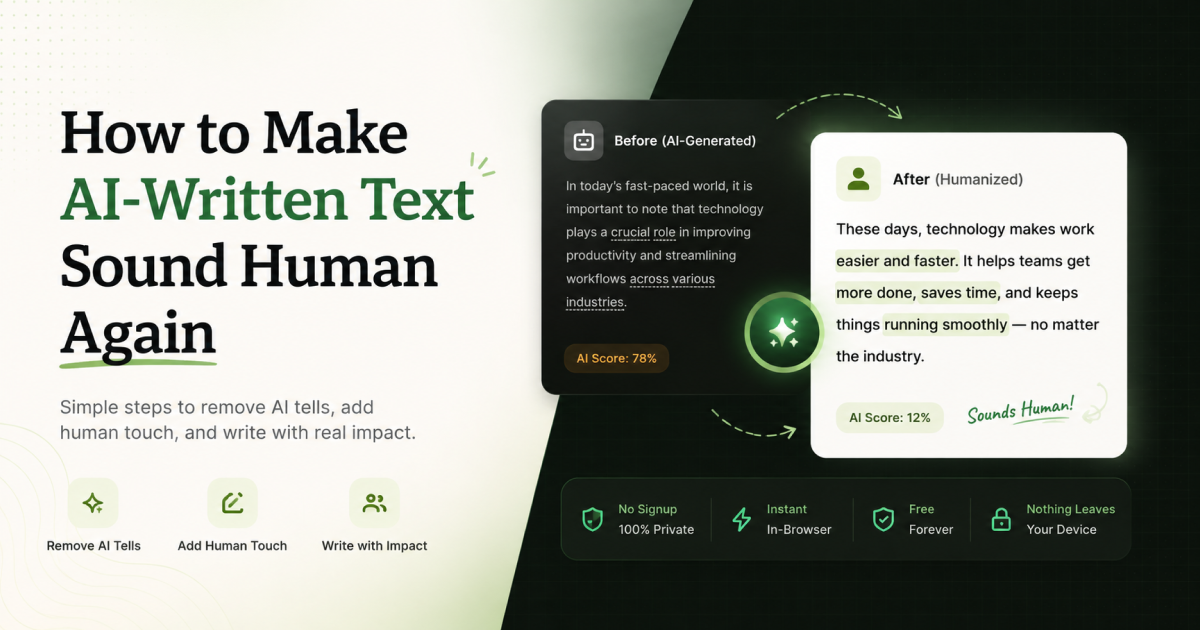
Before: "In today's fast-paced world, it's important to note that leveraging seamless communication can delve deeper into robust engagement — Let's unlock this synergy!"
After: "Clear, direct communication builds stronger engagement. Here's how to get there."
Same underlying idea, but the second version reads like a person wrote it — no filler padding, no vague corporate buzzwords standing in for an actual point.
Why this has become a bigger deal recently
As AI writing tools became common in everyday work — emails, reports, marketing copy, even personal messages — readers and editors got noticeably better at spotting the tells, and some platforms and publications now explicitly ask contributors to avoid an "AI-polished" tone, independent of whether AI was used at all in the drafting process. The goal, in nearly every case, isn't to hide AI involvement — it's that mechanically polished, filler-heavy text simply reads worse than direct, plainly-written text, regardless of how it was produced.
The six categories worth checking, in order of how often they show up
- Filler phrases. The single most common tell — corporate-sounding padding that doesn't add information ("it's worth noting," "in the realm of," "plays a crucial role").
- Em dashes. Often used where a period, comma, or parenthesis would read more naturally in everyday writing.
- Curly quotes and smart punctuation. Usually harmless, but inconsistency within one document (straight quotes in some places, curly in others) is a giveaway that text was assembled from multiple sources.
- Emoji used for emphasis. Fine in casual chat, out of place in most professional or long-form writing.
- Leftover markdown. Asterisks, stray hashes, or brackets that were meant to render as formatting but got pasted as plain text instead.
- Hidden or invisible characters. Zero-width spaces and similar characters that don't show up visually but can break search, formatting, or copy-paste elsewhere.
What this is not
Cleaning up AI-sounding text is about polishing writing so it reads naturally — it is not a method for bypassing AI-detection tools, and it shouldn't be used to misrepresent AI-assisted work as entirely human-written where that matters (school assignments, disclosure requirements, etc.). If honesty about authorship is required in your context, disclose it regardless of how the text reads.
Clean it up automatically
Humanly scans pasted text for exactly these patterns — filler phrases, em dashes, curly quotes, emoji, leftover markdown, and hidden characters — highlights each one, and lets you clean them up with a click, category by category. It also flags uniform sentence rhythm so you can see where a paragraph reads mechanically. Everything runs in your browser; your text is never uploaded anywhere. Free, no signup.